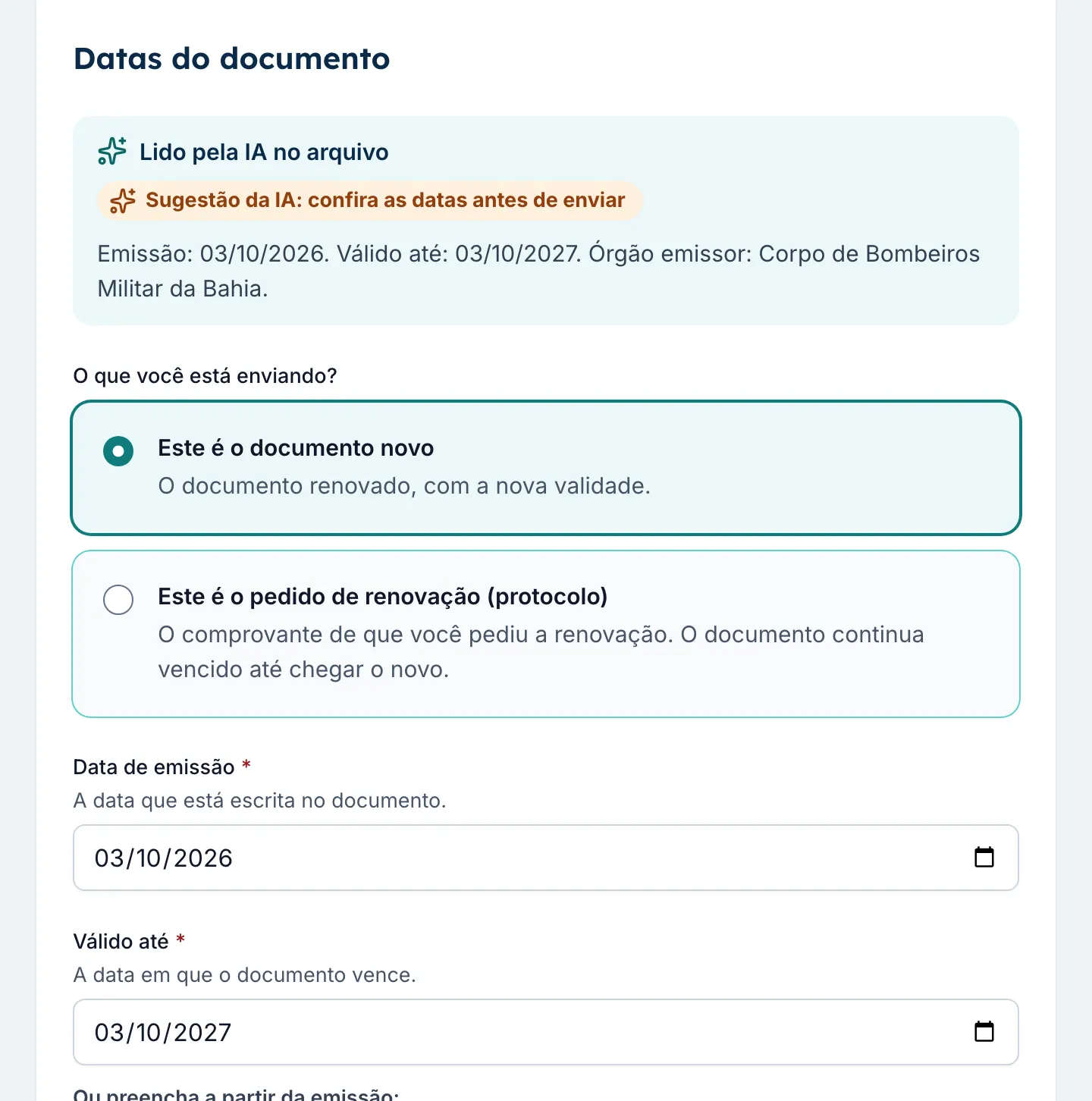
Reads the document on upload
The hotel manager picks the file and the AI reads the issue date, the expiry date and the issuing authority. The dates arrive filled in for review, with a warning if the file looks like a different document.
Your hotel chain's documents and audits, up to date
Hotel em Dia alerts you before a document expires, turns every audit finding into an action with a due date and shows leadership each hotel's score. The AI reads documents, builds checklists and writes the quarterly summary; your team just checks.
The problem
With each hotel tracking things its own way, management only finds out about a problem once it has turned into a fine, a closure or a complaint.
Fire certificates, operating permits and health licenses sit in folders and inboxes. The expired one only shows up when the inspector arrives, with the risk of fines and closure.
Management asks, each hotel answers differently, and the spreadsheet is never up to date when leadership asks for the numbers.
When a manager leaves, the dates, the contacts and what was already solved go too. The next one starts from scratch.
The solution
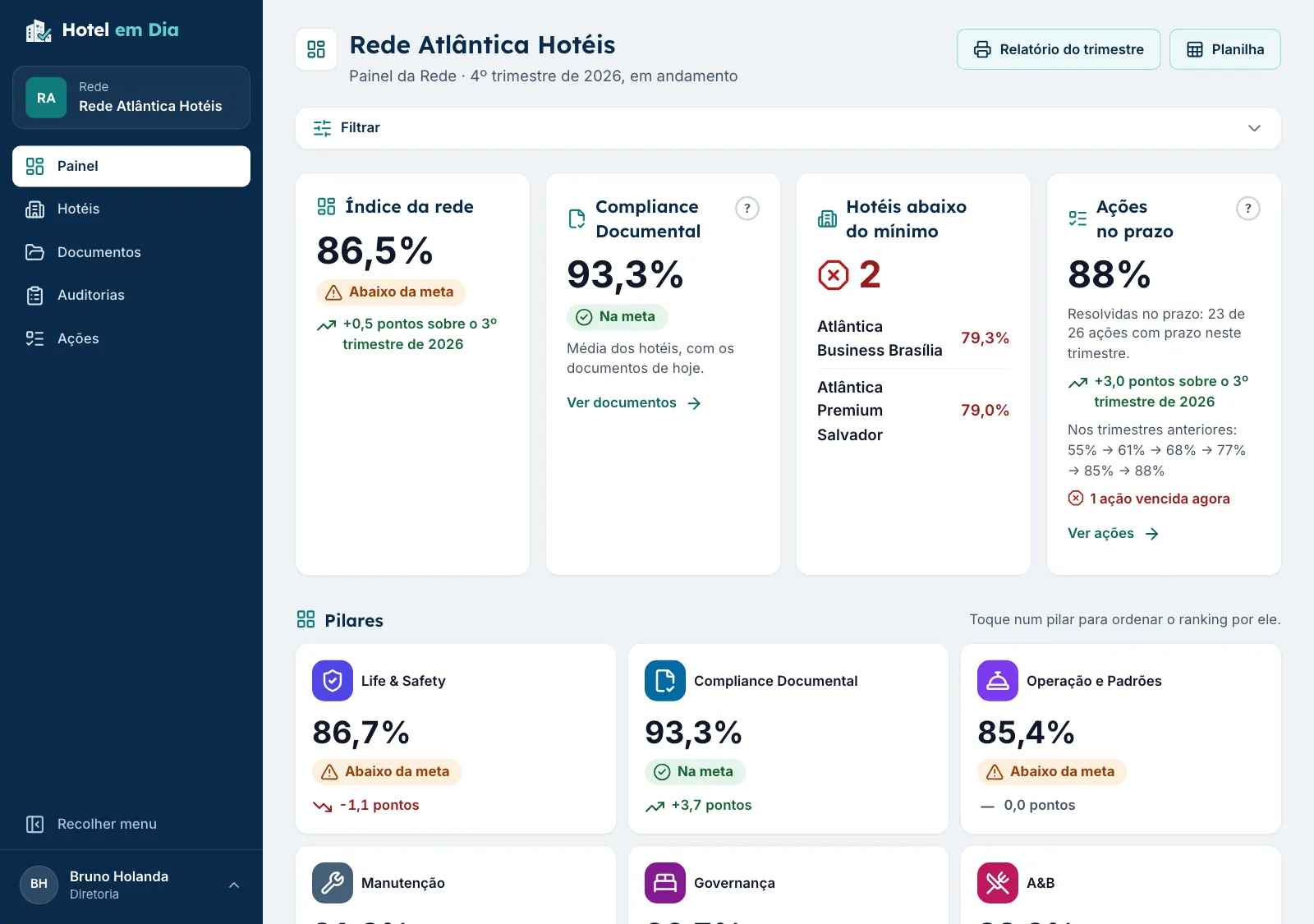
An expired document lowers the score, an audit finding becomes an action, and everything shows up on the chain dashboard, with no one copying numbers from one place to another.
Each hotel uploads the file and the expiry date. Hotel em Dia checks the file, sends alerts at 90, 60 and 30 days and flags the expired document as noncompliant, with no manual task per document.
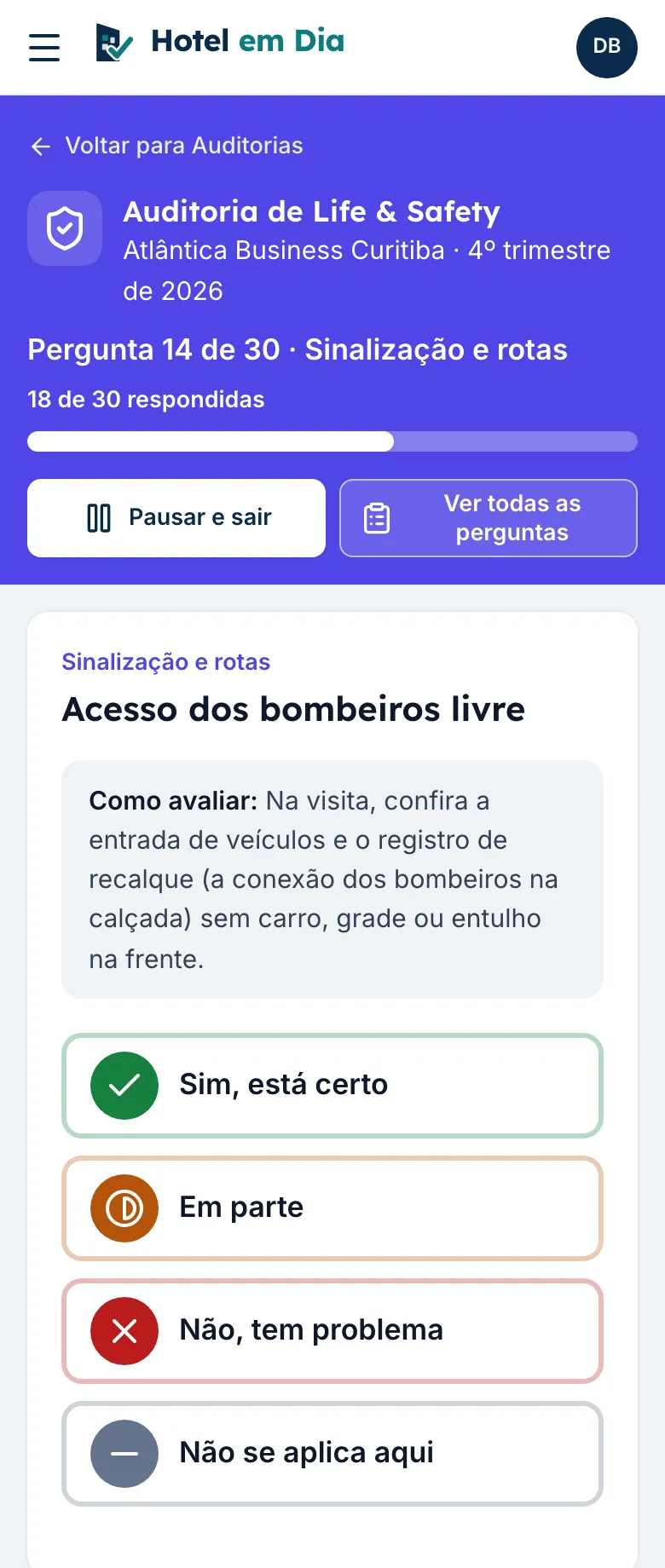
How document expiry tracking worksChecklists by pillar, with weights from 1 to 3, critical items and photos from the phone. The score is calculated automatically, and every issue becomes an action with an owner and a due date.
See the hotel audit checklistOne score per hotel and for the whole chain, with a ranking, quarterly trends and a PDF report and spreadsheet for the board, with no BI project.
See how the Index is calculated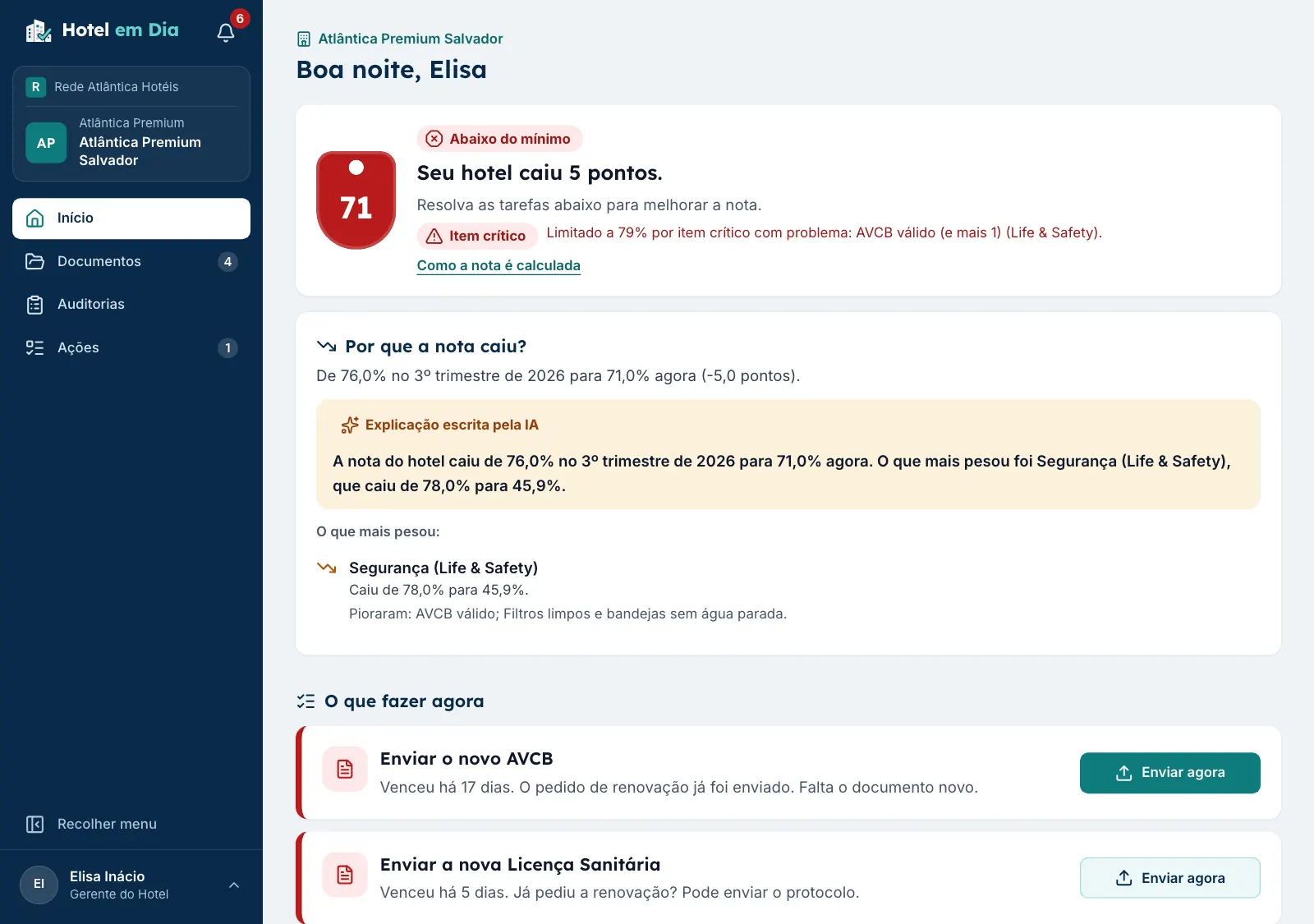
Artificial intelligence
Six features that take the repetitive work out of the chain's and the hotel's routine. The AI suggests, a person confirms: nothing is saved, switched on or sent without someone approving it.
The hotel manager picks the file and the AI reads the issue date, the expiry date and the issuing authority. The dates arrive filled in for review, with a warning if the file looks like a different document.
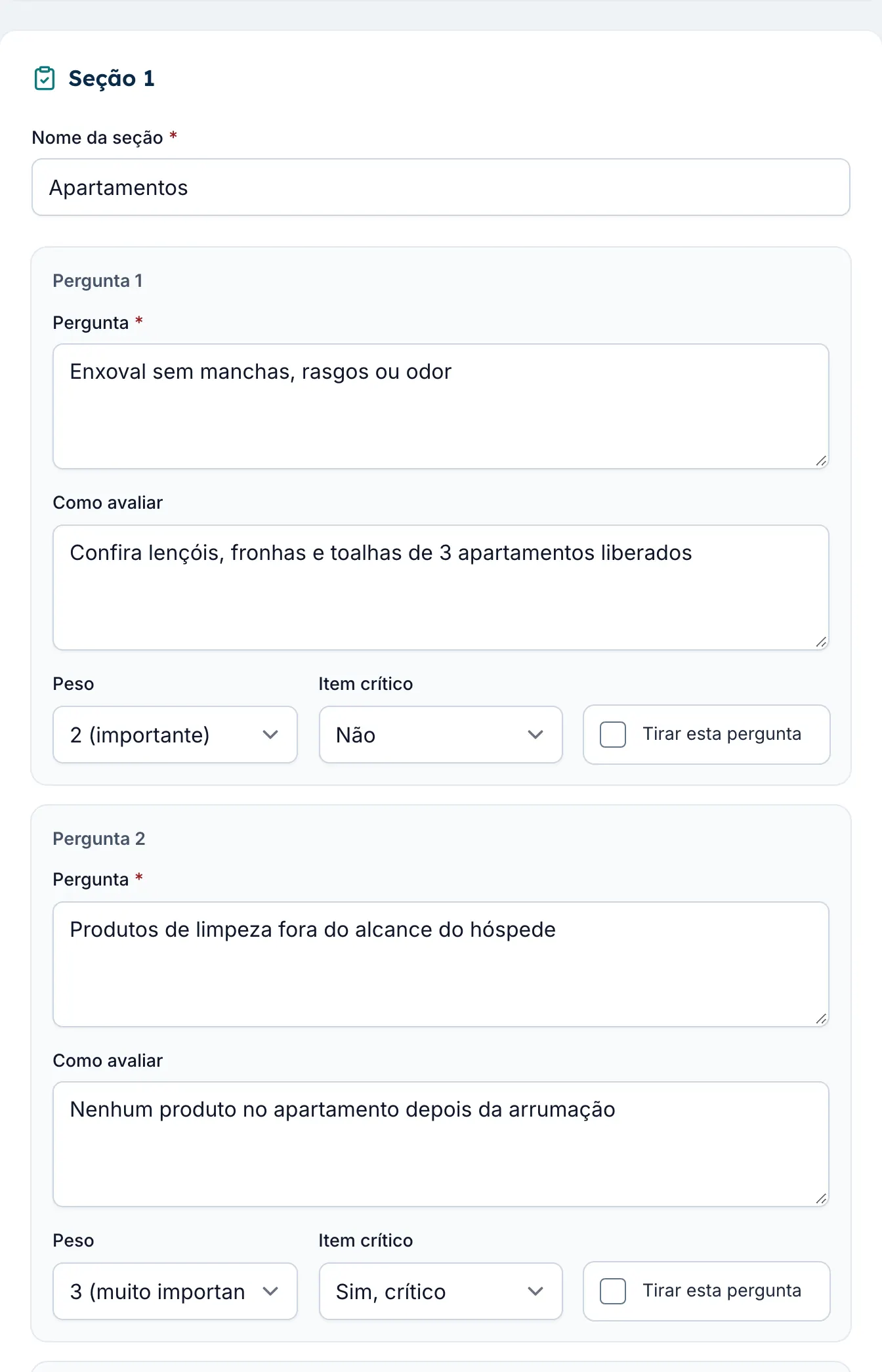
Upload the checklist your chain already uses, in Excel, PDF or Word. The AI builds the sections, questions, weights and critical items for you to review. The template starts switched off.
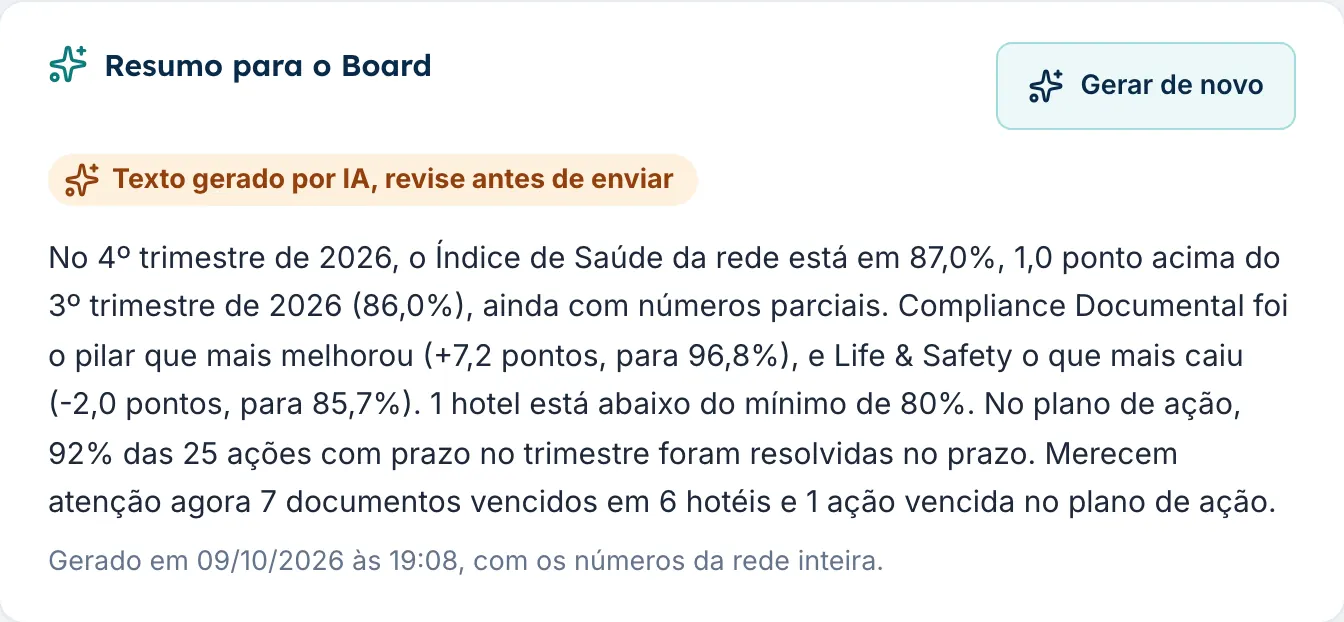
A paragraph in plain words, built from the dashboard numbers, on the Chain Dashboard and in the quarterly report. It carries an AI-generated label, so you review it before sending.
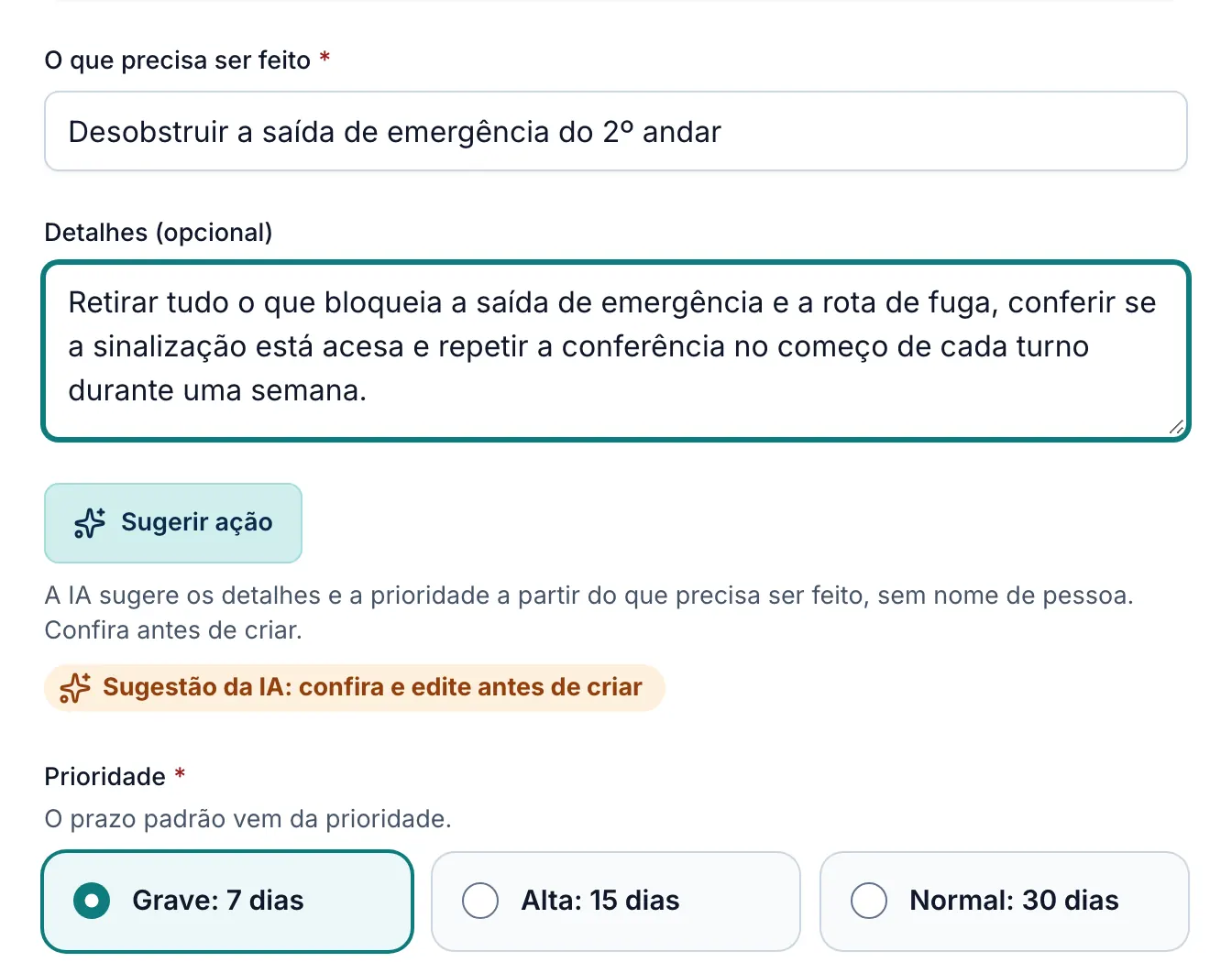
On an audit finding or a new action, the Suggest action button fills in what to do and the priority. You change whatever you want before saving.
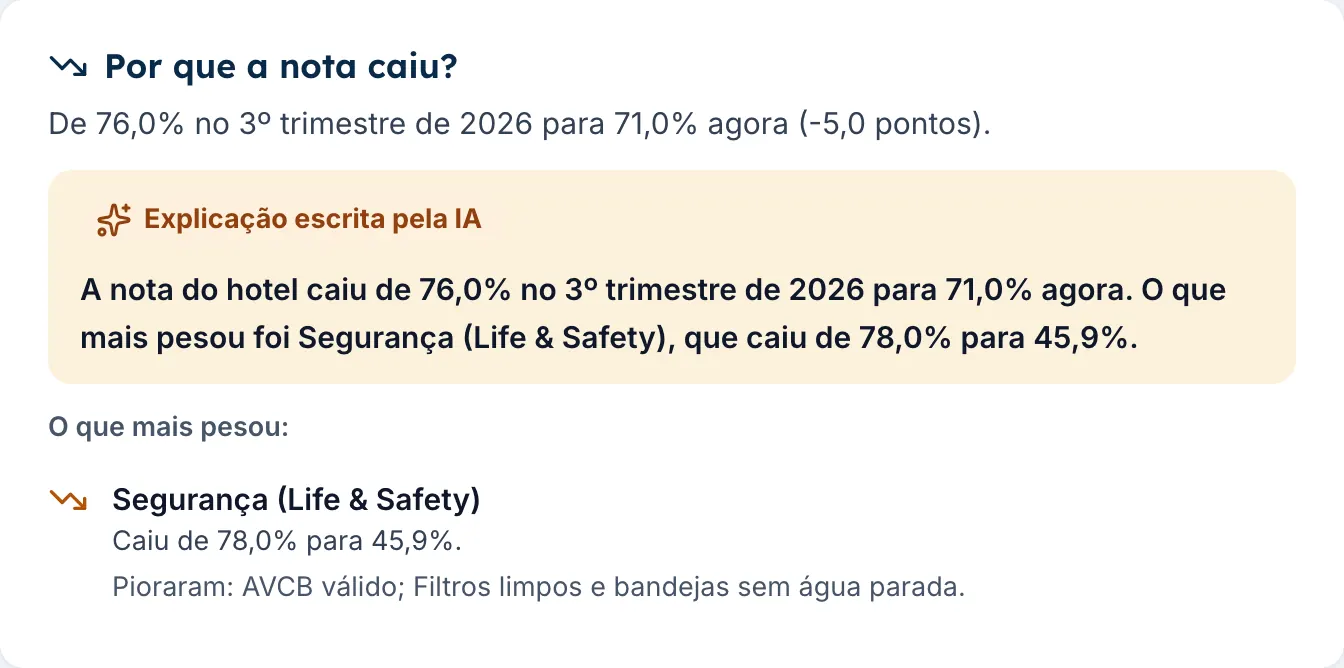
The Hotel Dashboard compares with the previous quarter and shows what weighed most. Hotel em Dia does the math; the AI only writes the explanation in plain words.
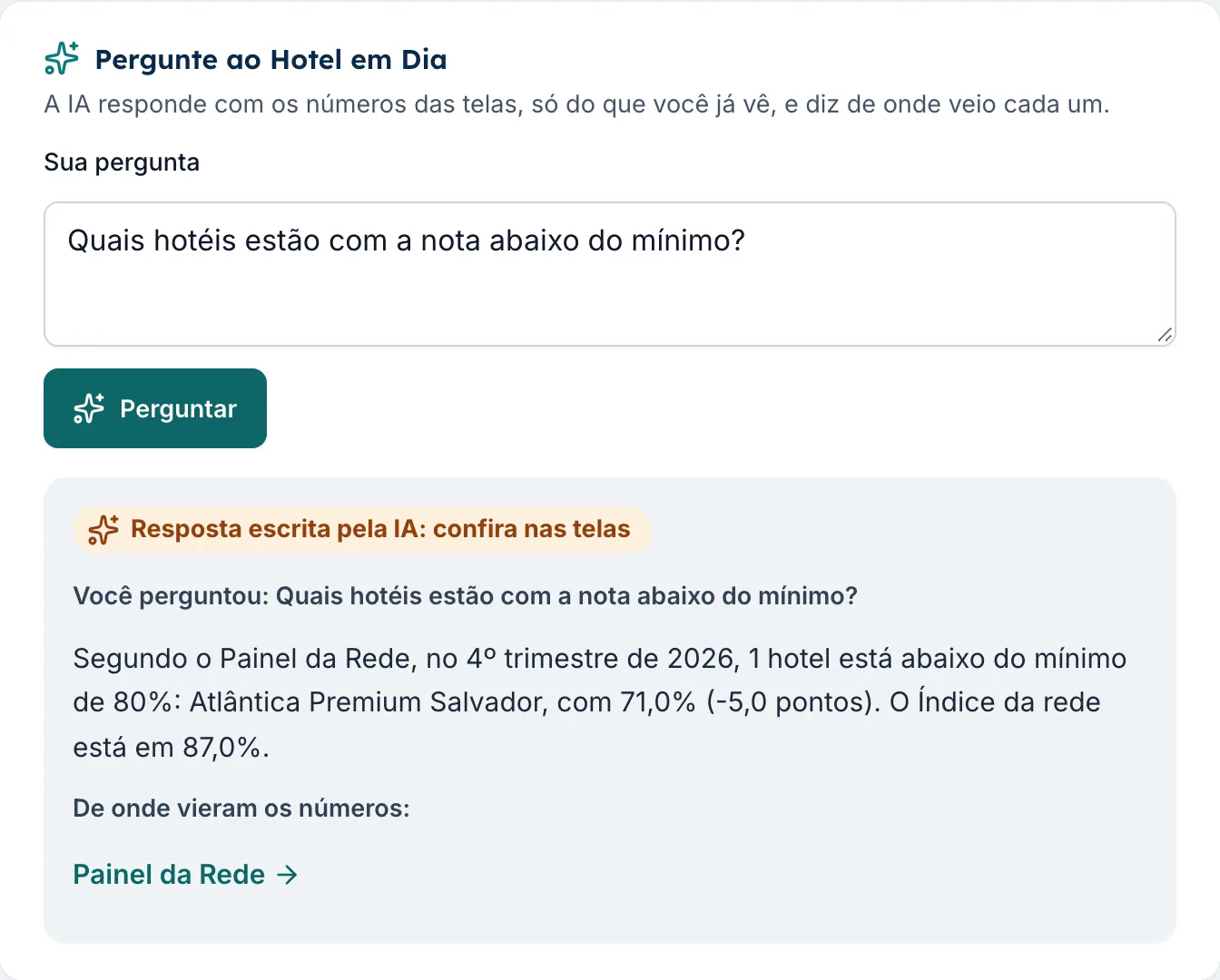
Ask Hotel em Dia in your own words: which hotels are below the minimum? The answer uses only the data you are allowed to see and shows where each number came from.
Your chain decides: each AI feature can be switched on or off in the chain settings.
See AI in hotel managementWhat's new
More control for the corporate team and fewer doubts for the hotel.
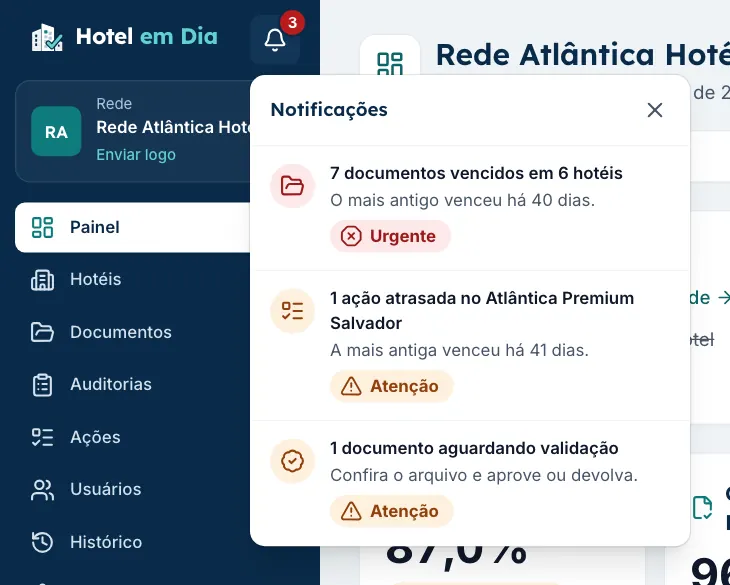
Everyone sees in the bell, and in the menu counters, what is waiting for them: a document to upload or approve, an audit to do, an action to resolve or approve.
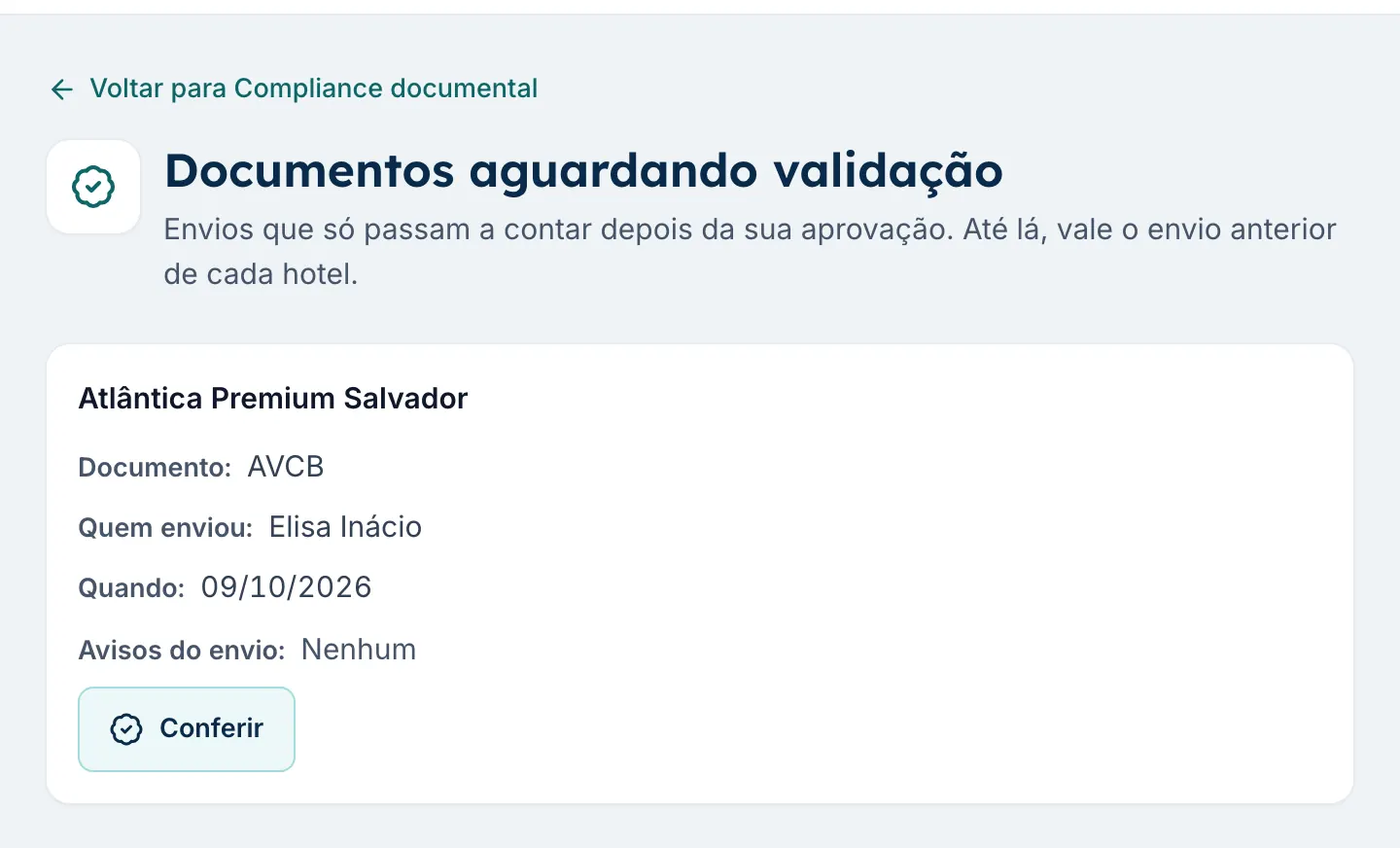
Each file is checked on upload: empty files and expiry dates before the issue date are blocked, and dark photos or duplicate files trigger a warning. If the chain wants, a document only counts after the corporate team approves it.
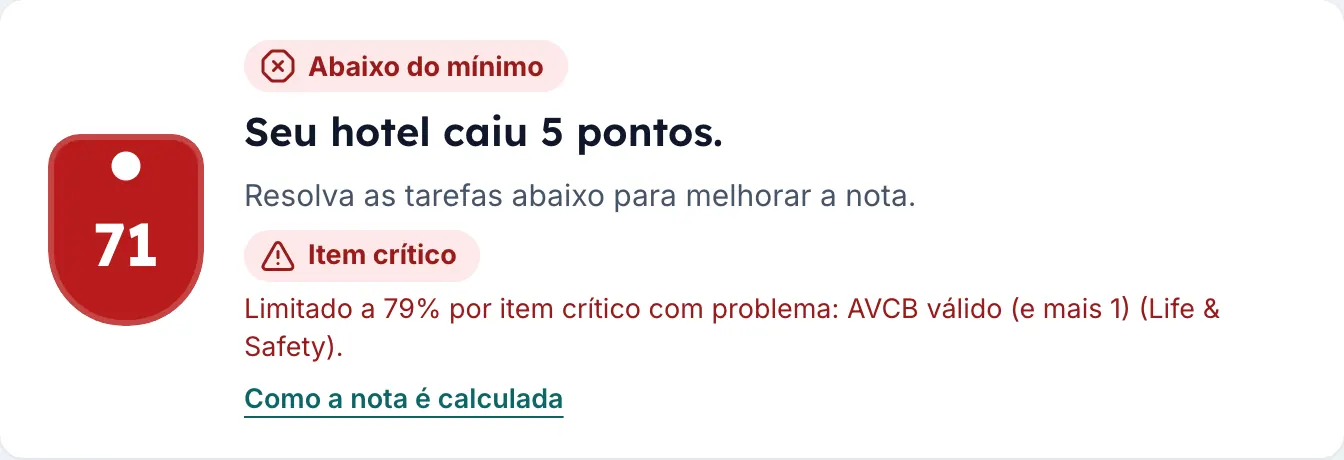
If a critical item, such as a blocked emergency exit, has a problem, the audit score and the hotel's Index for the quarter are capped at 1 point below the minimum. The chain can switch this rule off.
Audits that only the corporate team sees: the admin and the regional manager run them, leadership follows them and the hotel manager does not see them. They stay out of the hotel's score and Index.
Who it is for
For chains and management companies with owned, managed or franchised hotels, and for the independent hotel that wants the same control as a chain.
Chain and leadership
Regional managers and auditors
Hotel managers
In 3 steps
Enter the chain's name, your name and your email. The account comes with a starter catalog of documents commonly required of hotels in Brazil and audit templates by pillar. Already have a checklist? The AI imports it.
Each person gets an email invitation and joins with the role and hotels you choose. Hotel managers start by uploading documents and doing audits on their phones.
Hotel em Dia alerts you before expiry, turns issues into actions and calculates each hotel's Index. Leadership sees everything on one dashboard, with the quarterly summary.
Comparison
A generic checklist app handles the audit. What it lacks, and what spreadsheets lack, is documents with expiry dates, a single score per hotel and a view of the whole chain.
| What matters | Spreadsheets and WhatsApp | Generic checklist app | Hotel em Dia |
|---|---|---|---|
| Alert before a document expires | No, it depends on someone remembering | Partly, with a manual task per document | Yes, at 90, 60 and 30 days, with no manual task |
| Expired documents count in the hotel's score | No | No | Yes, in the documents pillar |
| Checklist with item weights and a score | No | Yes | Yes, with hospitality pillars |
| Findings become actions with due dates | No, they become messages | Yes | Yes, with approval by the regional manager |
| A single index per hotel and for the chain | No | Only with a separate BI project | Yes, ready on the dashboard |
| Ranking and quarterly history | No | Only with a separate BI project | Yes |
| AI that reads documents and summarizes the quarter | No | Depends on the tool | Yes, and you confirm every suggestion |
| History when the manager leaves | Leaves with the person | Stays | Stays, with every change recorded |
| Built for hospitality | No | No, it serves any industry | Yes |
Security and LGPD
Hotel documents and audit scores are serious business. That is why access is restricted by chain, by role and by hotel.
Each chain sees only its own data. No other chain sees your hotels, documents or scores.
Admins, leadership, regional managers and hotel managers see only what their role and hotels allow.
Documents, photos and attachments are kept out of public access and only open through a temporary link, for people with access to the hotel.
Nothing is deleted: every change goes into the history, with who made it and when. And every day an encrypted backup of the data and files is made, also stored outside the main server.
The AI does not save, activate or send anything on its own. It receives only what each feature needs, and the chain can switch each one off.
Traffic is encrypted, passwords are stored as hashes, and the Privacy Policy explains who processes each piece of data, under Brazil's data protection law (LGPD).
The details, the processors and your rights are in the Privacy Policy.
Free resource
The document expiry tracking spreadsheet we made for hotels, in Excel, with the days to expiry and the status of each document calculated automatically.
FAQ
Hotel em Dia is software for audit checklists, operational audits and document expiry tracking for hotel chains and independent hotels, with AI features. It brings together each hotel's documents, scored audits, the action plan and the Operational Health Index, which leadership follows for each hotel and for the whole chain.
Pricing depends on the number of hotels. Talk to us or book a demo to get a proposal for the size of your chain. Before that, you can sign up free for 14 days, no credit card required.
You create your chain's account and use Hotel em Dia for 14 days, with all hotels and users, no credit card required. At the end of the trial, you decide whether to subscribe. Nothing is charged unless you subscribe.
Yes. Hotel em Dia runs in the browser on phones and computers, with nothing to install. Hotel managers do audits one question at a time and upload documents with a photo from their phone.
Your account is ready in a minute, with a starter catalog of documents commonly required of hotels in Brazil and audit templates by pillar. You can add your first hotel and upload the first documents on the same day.
Yes. Upload the file in Excel (.xlsx), PDF or Word (.docx) and the AI builds the template with the sections, questions, weights and critical items. You review everything before creating it, and the template stays switched off until you turn it on.
No. The AI suggests, a person confirms: nothing is saved, switched on or sent without someone approving it. Dates read from documents, imported checklists, the quarterly summary and suggested actions are shown for you to check and change. The chain can switch off each AI feature.
Yes. An independent hotel uses Hotel em Dia as a chain with a single hotel, with the same Document Vault, the same audits and the same Index. If the group grows, just add the next hotel.
Each chain's data is kept separate from other chains, each person sees only what their role and hotels allow, files are stored in a private area and open through a temporary link, every change is recorded in the history, and an encrypted backup is made every day and also stored outside the main server. The Privacy Policy explains who processes each piece of data, under Brazil's LGPD.
No. It does not handle reservations, rates or guests. It handles the routine that keeps a hotel safe and on standard: documents with expiry dates, audits, issues found and each hotel's score. It works alongside the PMS the hotel already uses.
Each person sees only what their role allows. The chain administrator sees and configures everything. Leadership sees the whole chain, read-only. Regional managers see the hotels they oversee. Hotel managers see their own hotel.
No. Documents, audits and actions belong to the hotel, not to the person. Nothing is deleted: every change is recorded, and the new manager finds everything as it was.
Create your chain's account, add your first hotel today and watch the dashboard come together. Or book a demo with us.